SkillSuite Software

Problem #1
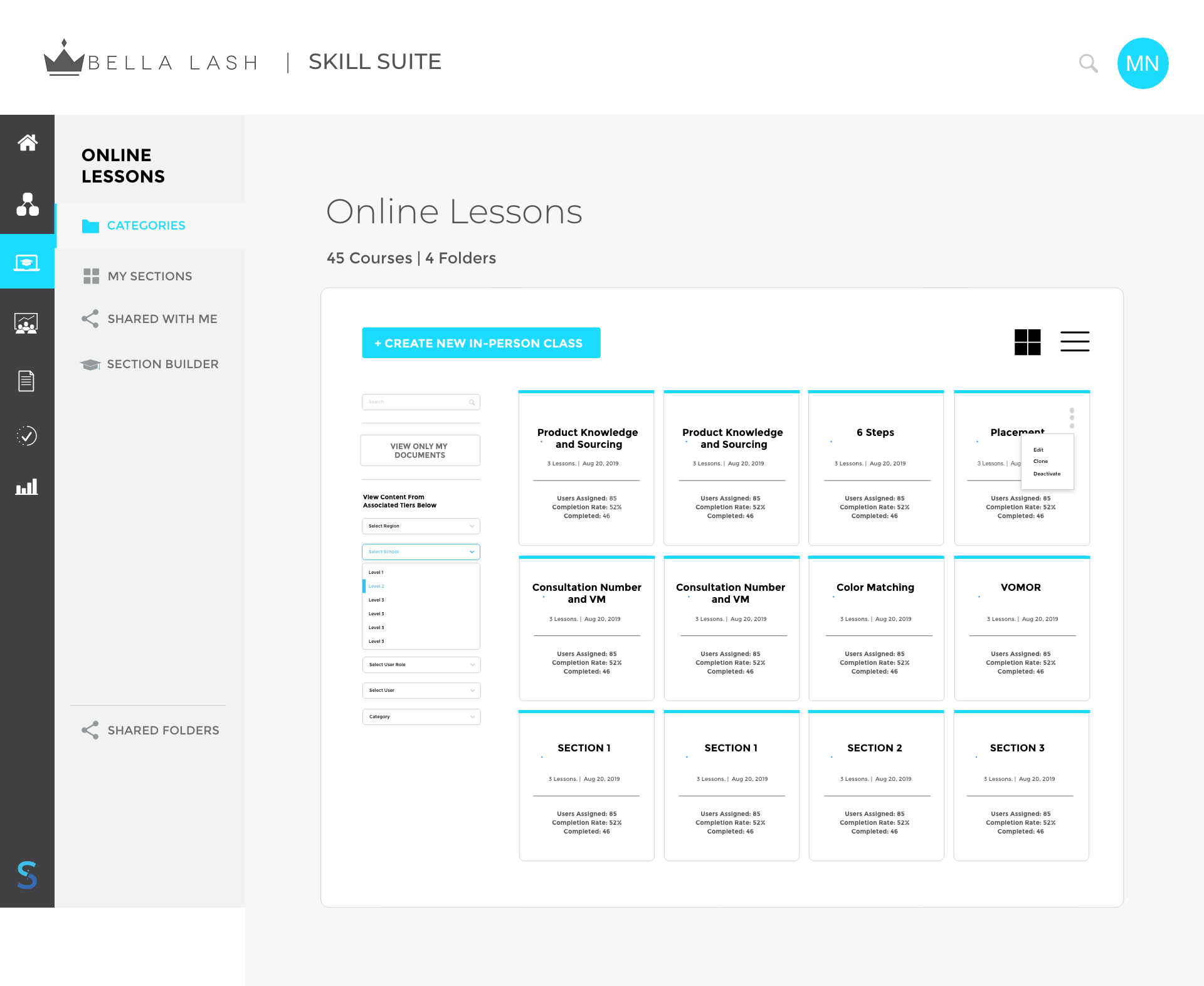
It was confusing to users how lessons, courses, and tracks interacted with each other. Each one had it’s own page and were separated, so it wasn’t intuitive to users how to add lessons to a course. And on top of that they didn’t understand what tracks were and how that related to courses.
Solution
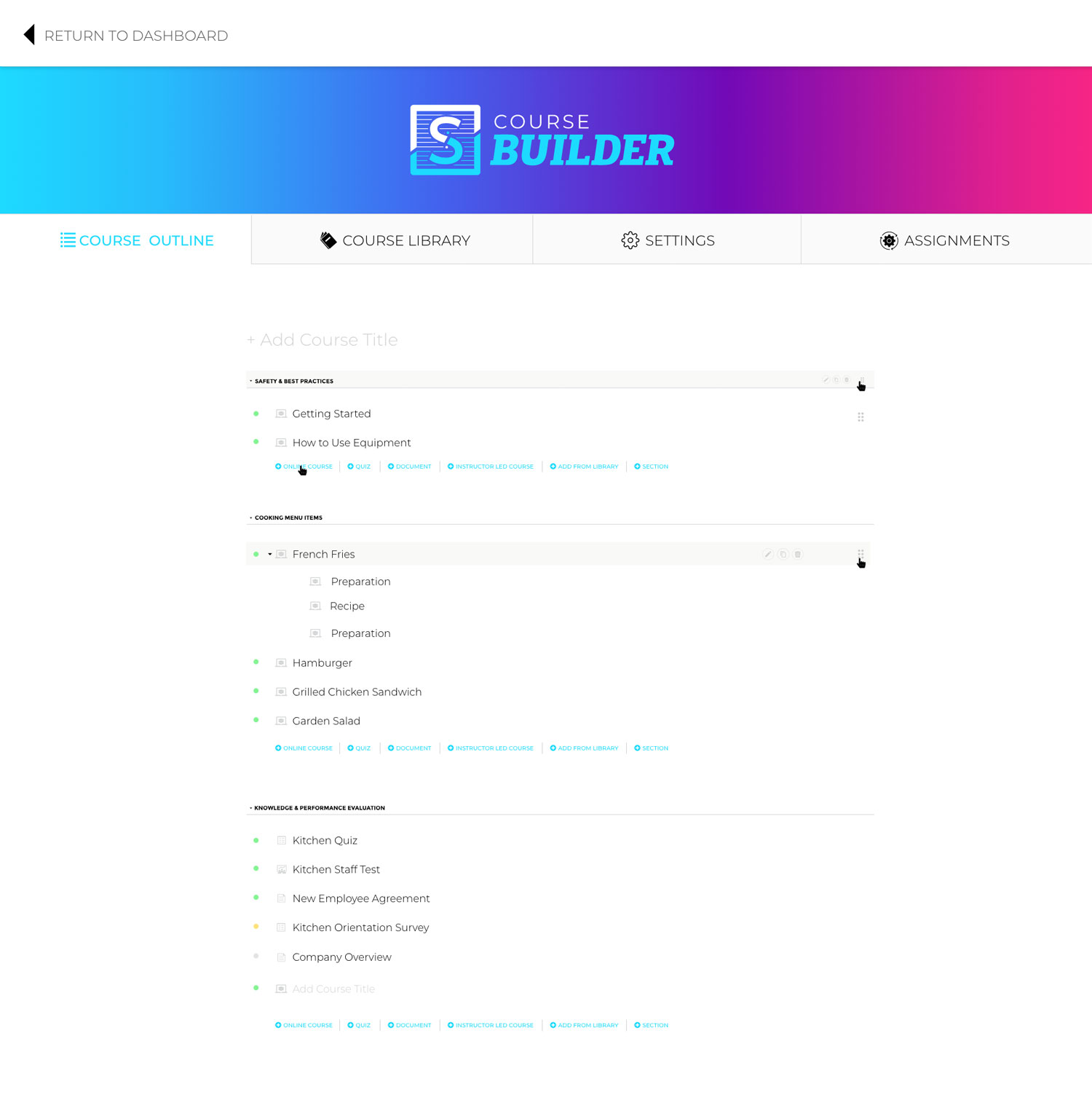
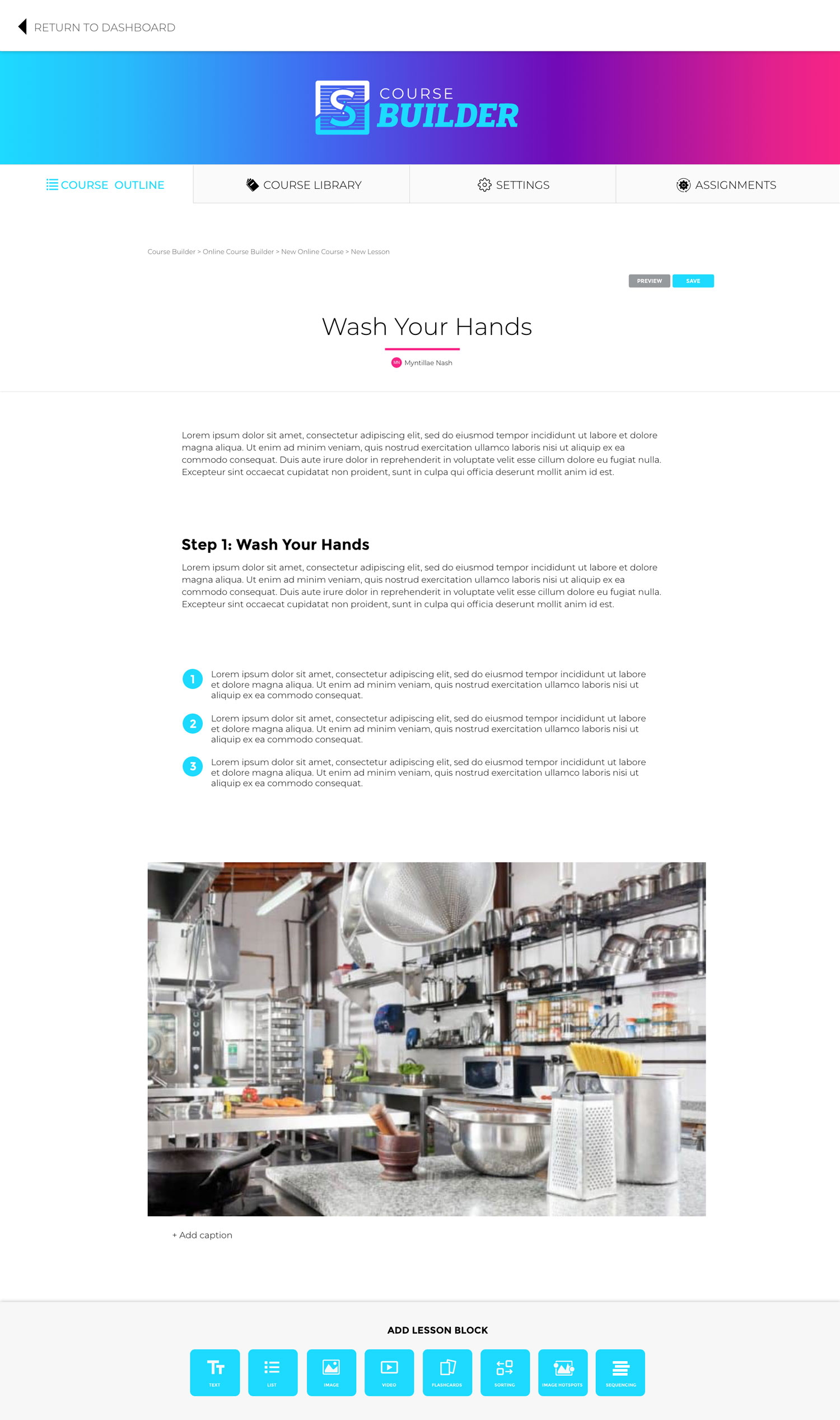
Completely redesigned the course builder to combine together all the content and settings related to a course. Tabs for course outline and to build lessons, course library, settings (course settings, email communications, etc.), and assigning course.
OLD VERSION

NEW VERSION
ORIGINAL VERSION


REVISED VERSION


FINAL VERSION

Problem #2
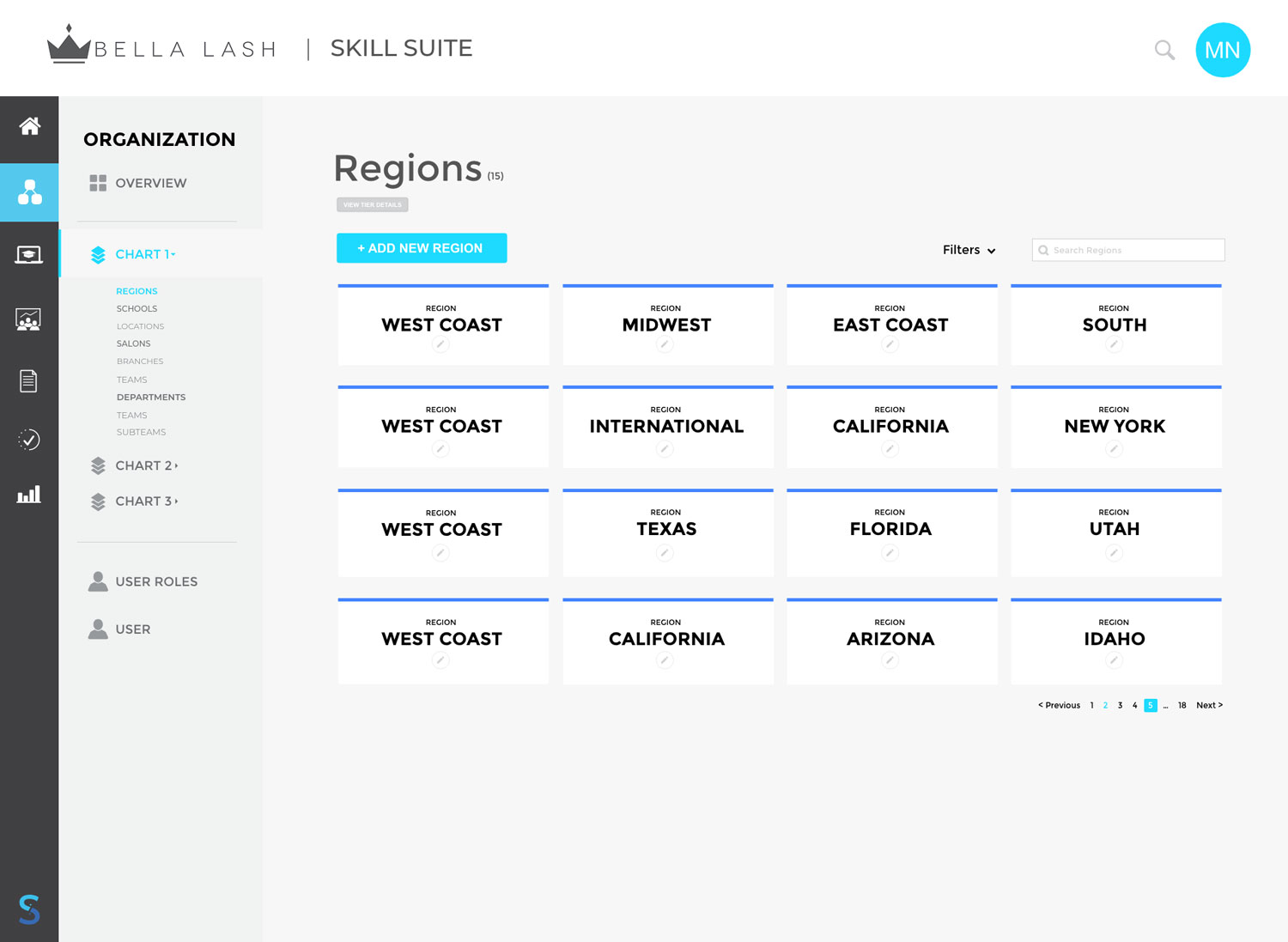
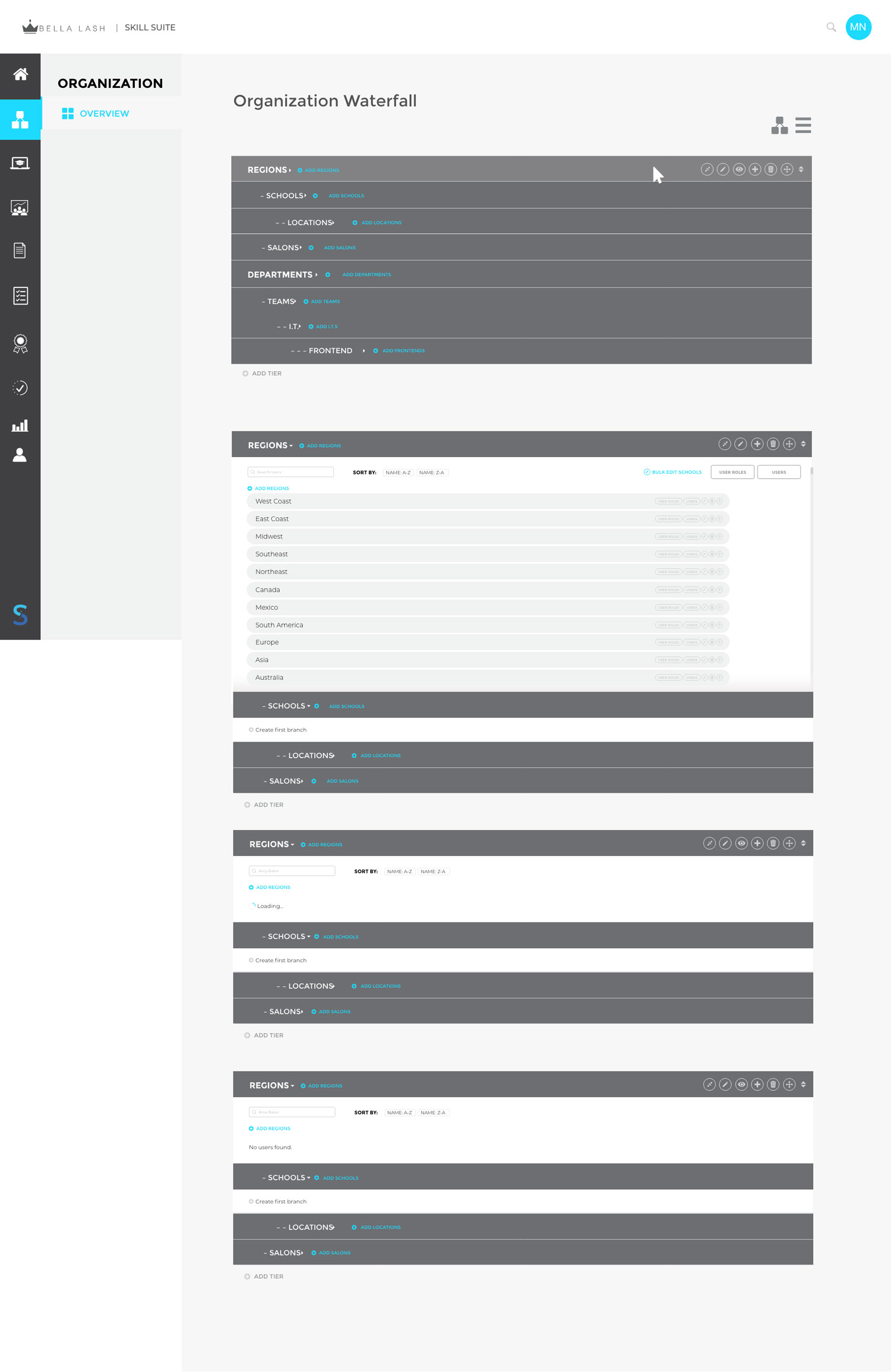
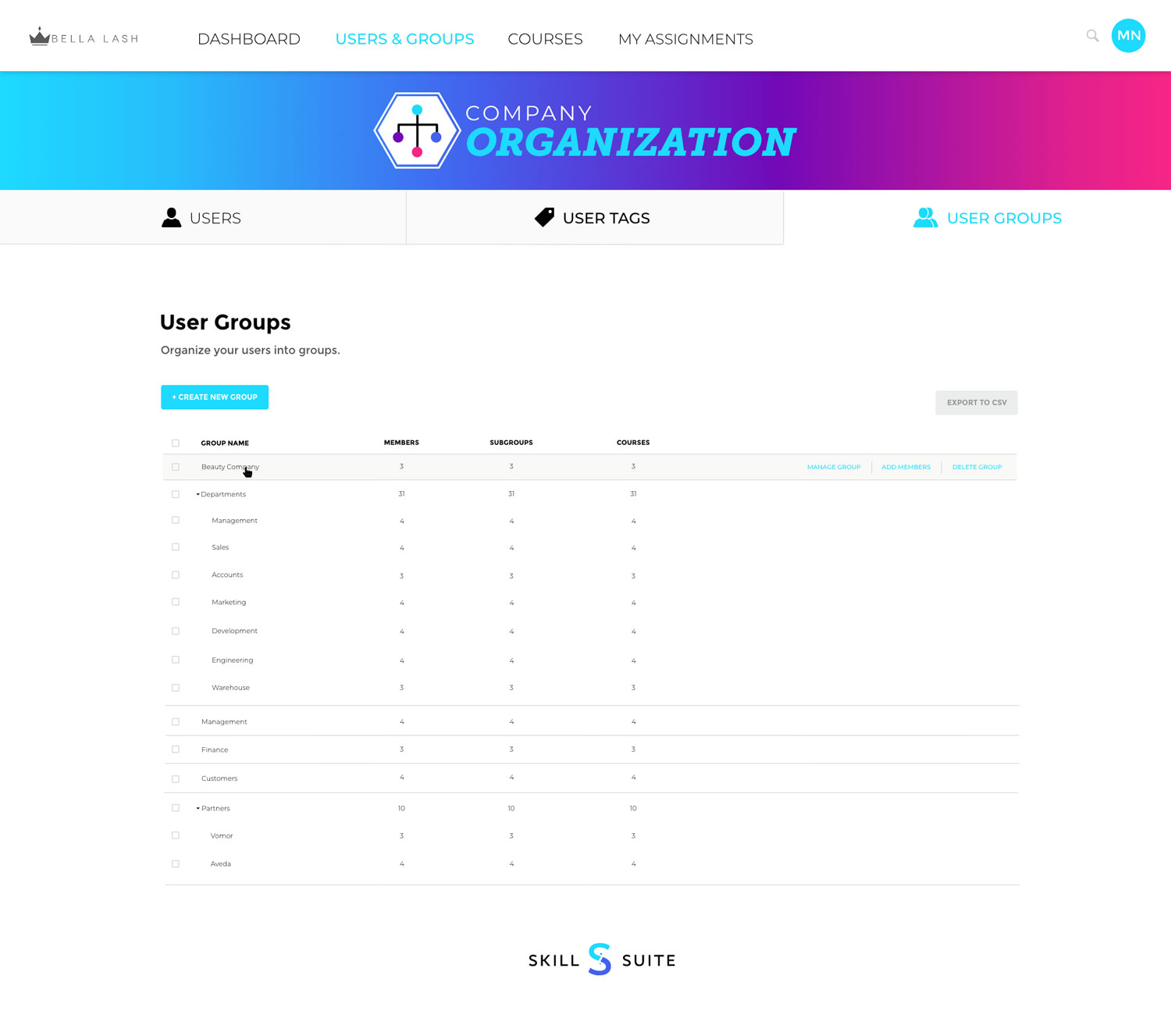
How to set up your organization with tiers and entities was confusing to users. The flow was smooth for viewing how a list of entities tied to a tier. Also, the naming conventions of tiers and entities was confusing.
Solution
First attempt a list layout was added so that entities would be listed below and more visibly together.
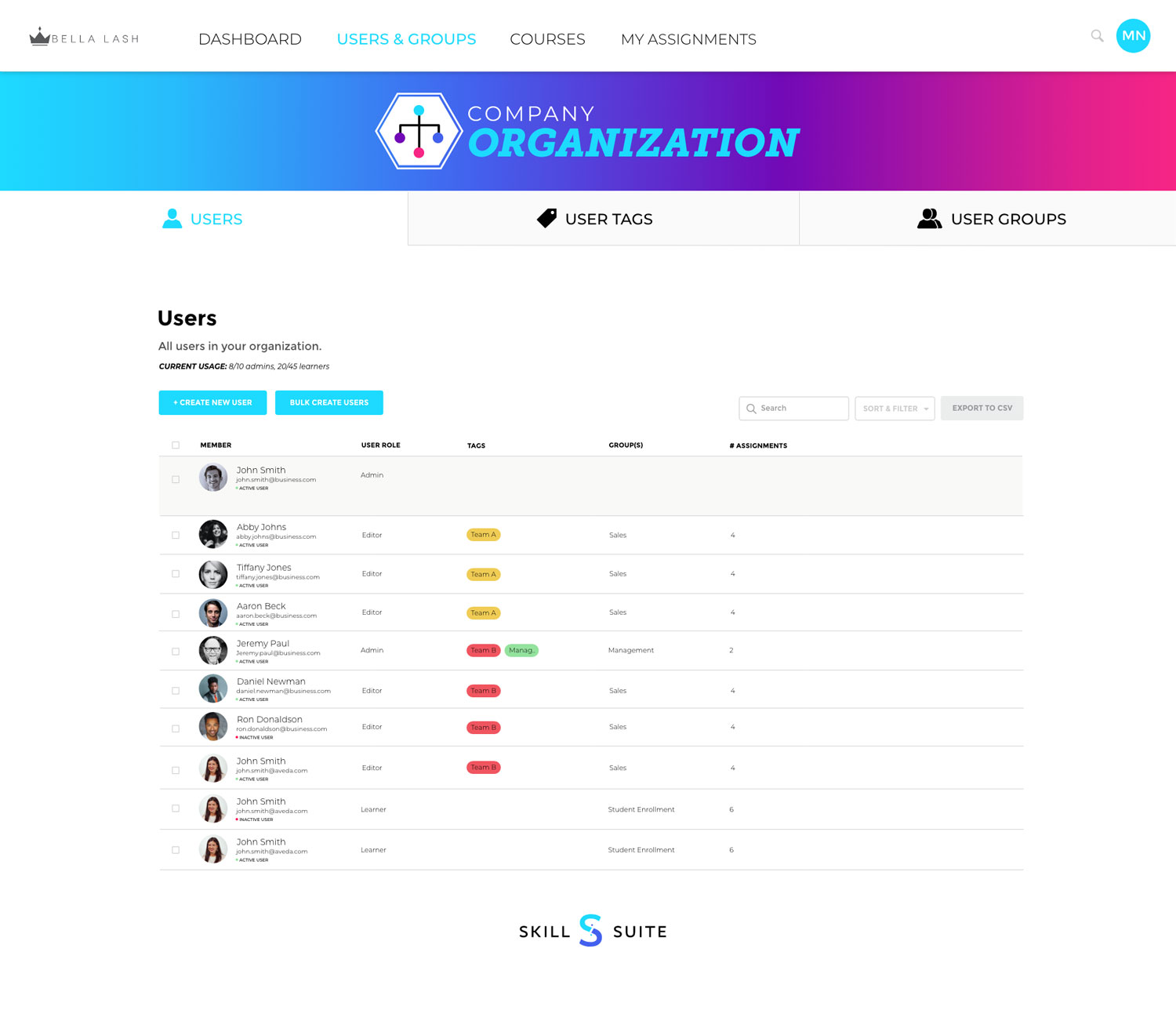
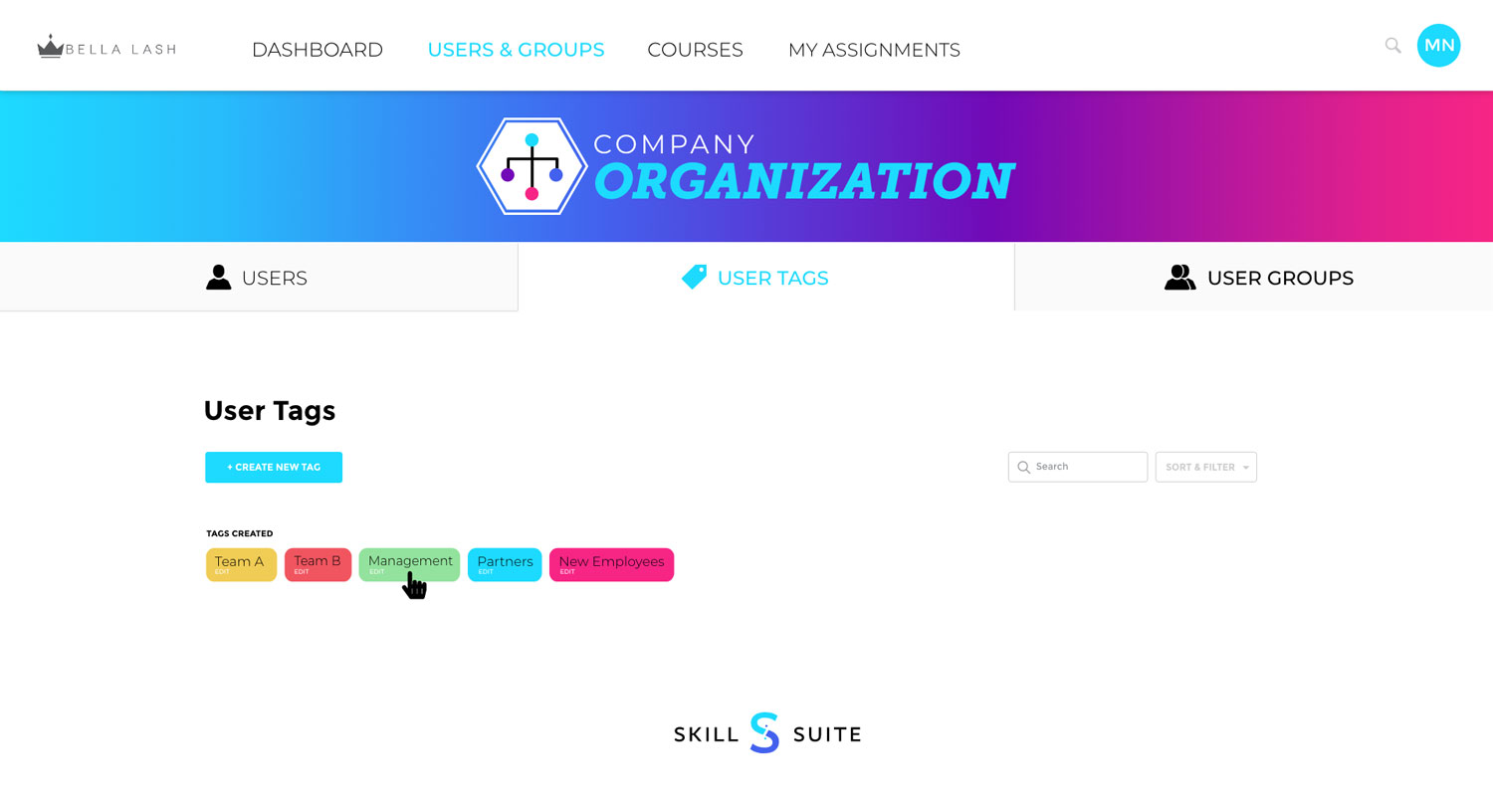
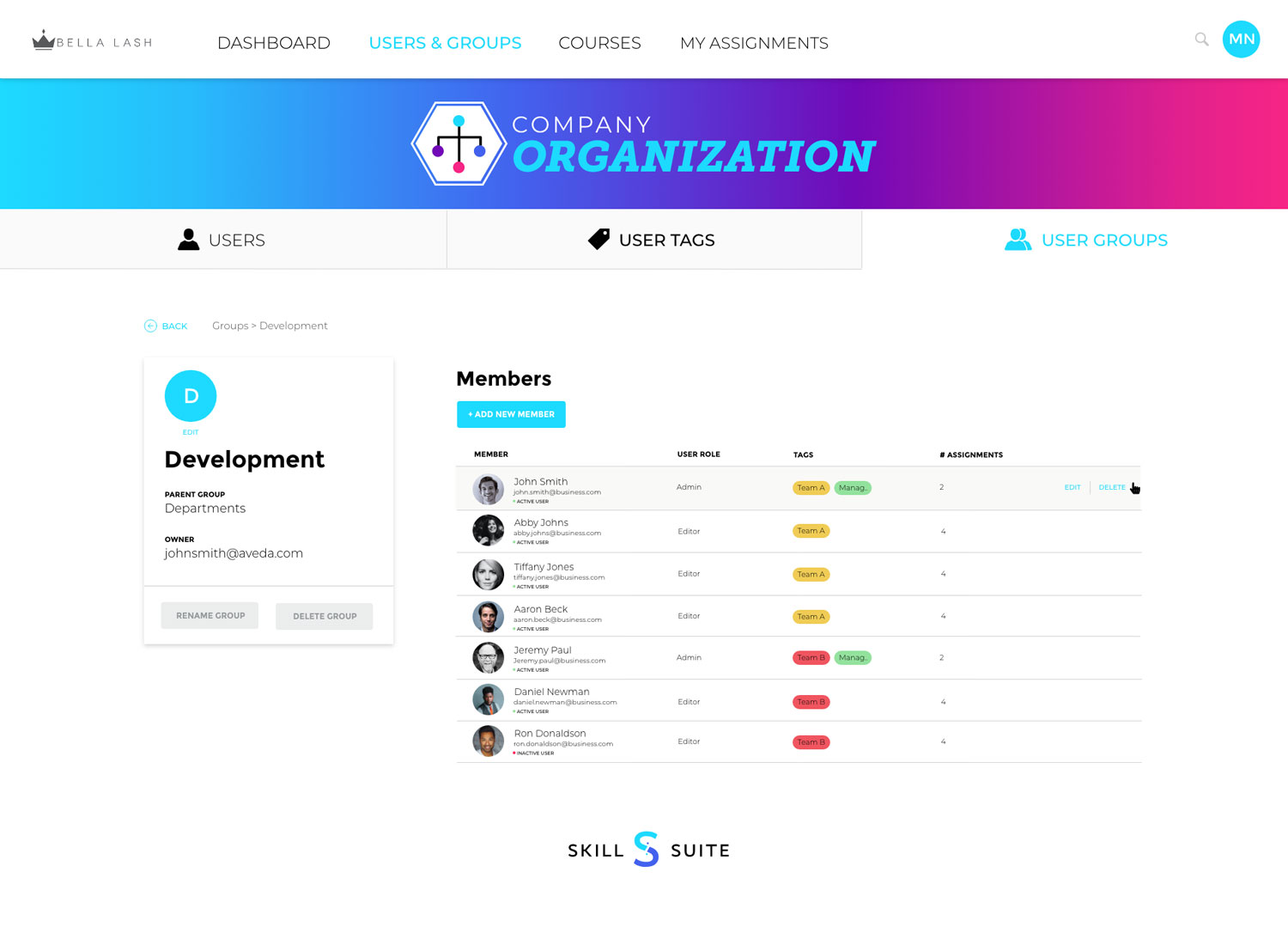
When the list view still wasn’t sufficient enough, the organizational structure was changed to groups—a much more intuitive solution that is easily understood by users. Permissions were then better understood as they related to subgroups and group members.
Problem #3
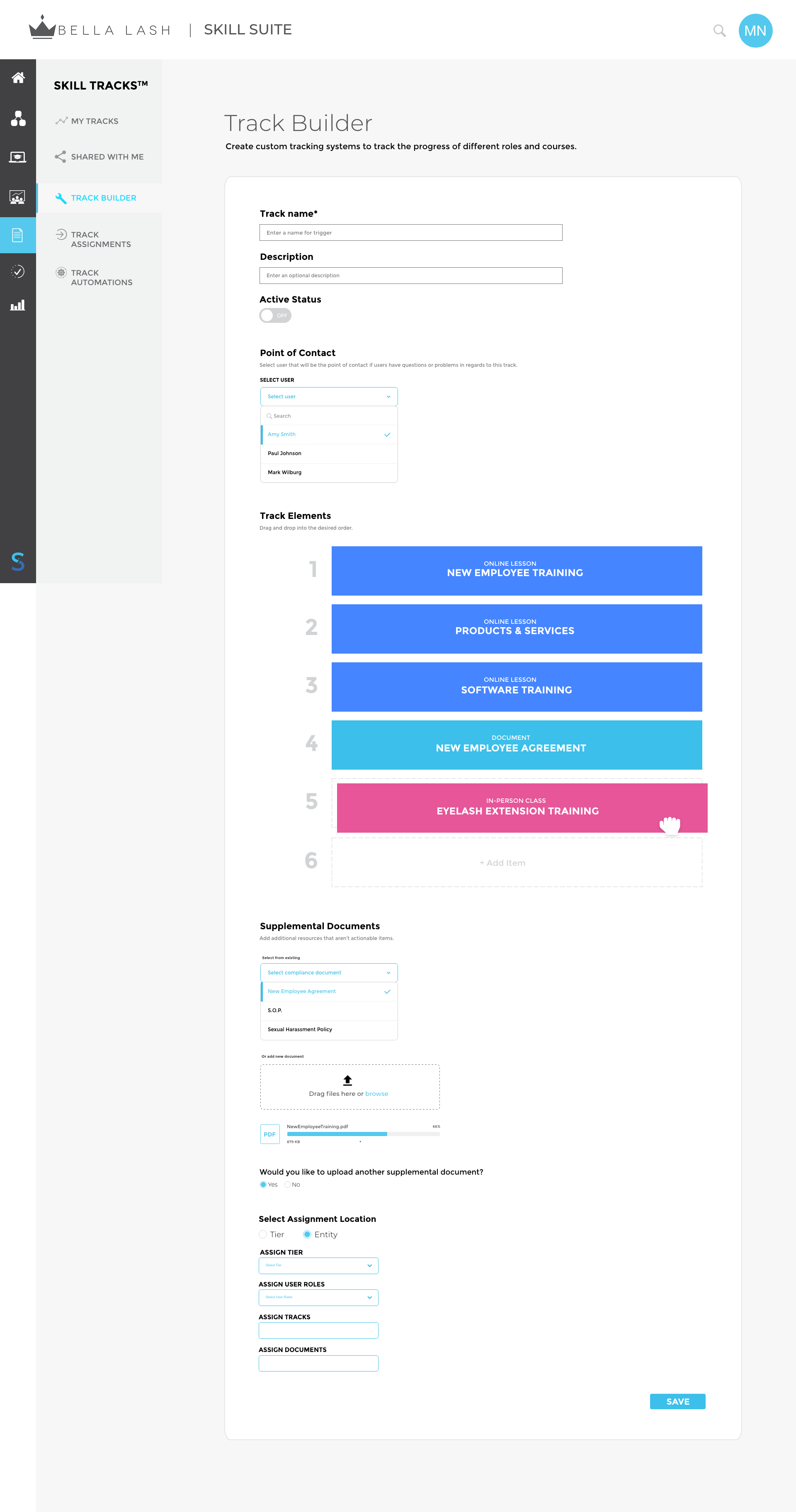
- Users didn’t understand what the word ‘Tracks’ meant.
- Tracks was separated from courses and lesson, so it wasn’t clear how they interacted with each other.
- It was too complicated for combining different courses, or creating new content to add.
- Confusing how to tie email communications or assignments to courses.
Solution
Renamed ‘Tracks’ to ‘Flows’. Flows became a more robust tool where different courses could be combined together, create email notifications, and more.
OLD VERSION
NEW SOLUTION
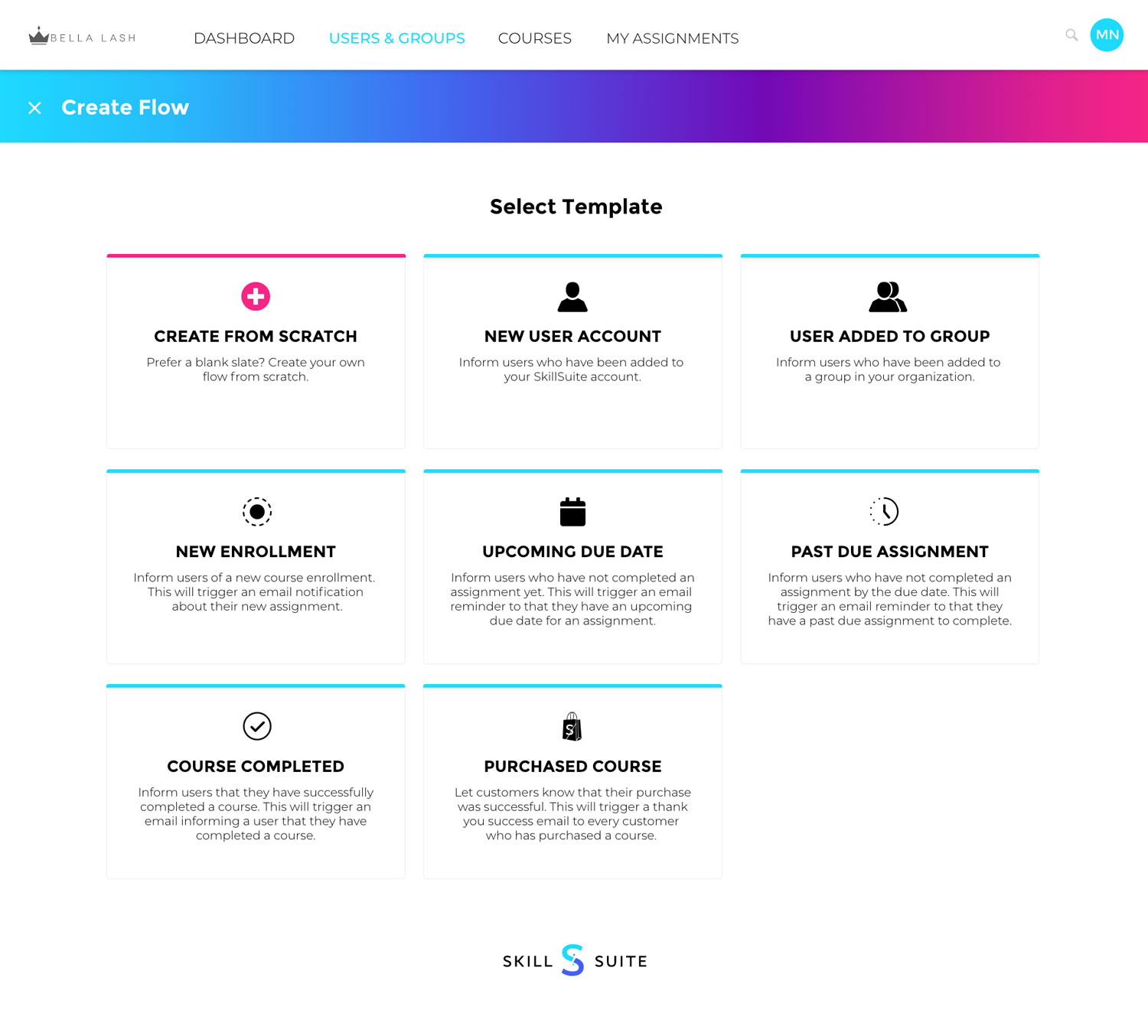

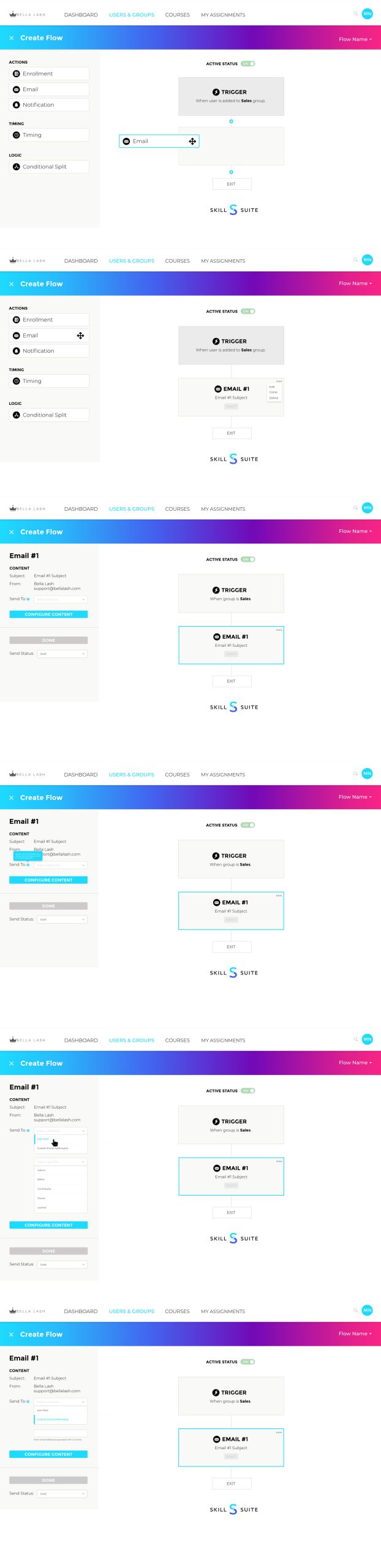

OLD VERSION

NEW SOLUTION

Problem #4
It wasn’t a bad solution, but the learning dashboard was separate from the admin panel.
Solution
Combined the learning portal with the admin dashboard to be one thing, and renamed it to ‘My Assignments’. This made is easier for any user to see their assignments, whether admin or learner. And if the user is only a learner, they won’t see the admin dashboard and options.